No products in the cart.
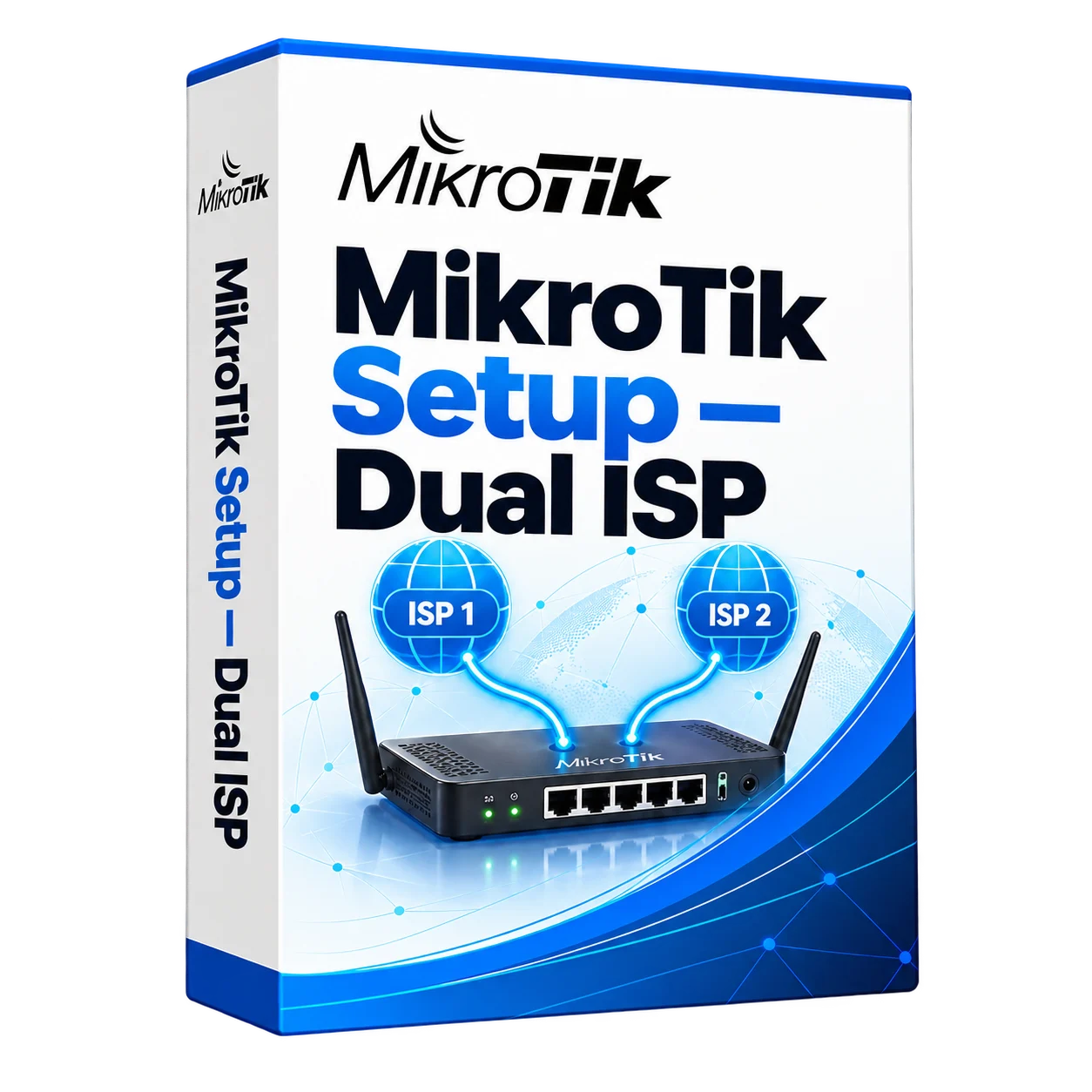
MikroTik dual-WAN configuration
MikroTik dual-WAN configuration
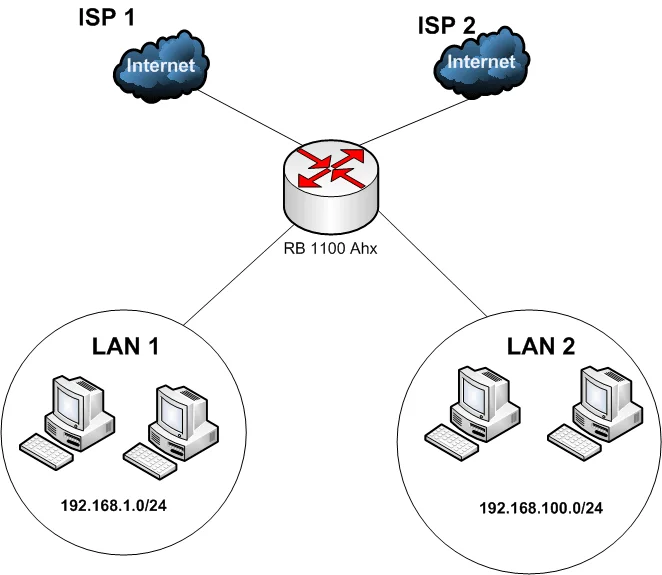
We configure MikroTik routers for two internet providers, including failover, balancing of separate connections and traffic priorities. We test switching, recovery and business applications. On-site work in Astana and Almaty; remote configuration across Kazakhstan.
Description
MikroTik Dual-WAN setup in Astana and Almaty
Keep your business connected with two internet providers. We configure MikroTik routers for backup connectivity, load balancing and traffic priorities for applications such as 1C, telephony and video surveillance.
We provide on-site configuration in Astana and Almaty and remote support across Kazakhstan. The project can include connection monitoring, routing, traffic management, alerts and secure VPN access for administration.
A backup internet connection reduces dependence on a single provider. We test switching and recovery, including how your business applications behave when the connection changes.
On this page:
What the setup provides
Automatic failover
The router switches to a working backup connection when the primary link fails. Some active sessions may need to reconnect.
Load balancing
Distribute separate connections across both providers. This can increase overall capacity for multiple users; it does not combine both link speeds for every individual download.
Traffic prioritisation (QoS)
Give business calls and other important traffic priority when the connection is busy.
Monitoring and reporting
Monitor connection availability and configure alerts and traffic reports suited to your requirements.
Router security configuration
We review administrative access, exposed services and firewall rules as part of the setup. Ongoing maintenance can include firmware checks, configuration backups and firewall reviews.
- Restricted management access: disable unused services and allow administration only through approved networks or a VPN.
- Account security: review administrator accounts, passwords and SSH keys.
- Firewall rules: allow required traffic and block unsolicited inbound access.
- Network protection: configure appropriate connection limits and filtering; upstream protection may be needed for large attacks.
- DNS configuration: configure approved resolvers and optional filtering for the project.
- Network separation: isolate guest and IoT devices from business-critical systems.
- Configuration backups: save the settings and document recovery procedures.
What we configure
Dual-WAN
Failover and/or balancing (PCC/ECMP/Policy-Routing)
Routing and alerts
Connection checks, routing policies and failure notifications.
Traffic management
Priorities for business applications, telephony and video conferencing.
NAT, DHCP, MTU/MSS
Address reservations and connection settings matched to the provider.
Secure remote administration
IKEv2 or WireGuard for secure remote management.
Logs and graphs
Optional monitoring and notifications through agreed channels.
Our deployment process
- Assessment: review providers, connection plans, equipment and business applications.
- Design: agree on routing, failover, load balancing and traffic priorities.
- Configuration: set up WAN connections, firewall, QoS and VPN access on site or remotely.
- Testing: simulate a link failure and verify switching, recovery and application behaviour.
- Handover: provide documentation and explain monitoring and routine administration.
Who benefits from Dual-WAN?
This service suits organisations where internet downtime interrupts work, transactions or customer service.
- Offices and branches: business applications, CRM and video conferencing.
- Warehouses and production sites: accounting systems, handheld terminals and cameras.
- Schools and universities: access to teaching and administrative services.
- Retail: payment terminals, POS systems and stock management.
- Sites using cameras and VPNs: remote access and surveillance connections.
Does a provider outage stop work in your office?
If an outage disconnects payment terminals, business applications or video calls, a second provider can provide a backup path. We assess the network and test failover with your applications.
Connection outages
Configure automatic failover and test the recovery process.
A busy office connection
Distribute separate sessions across two links to make better use of the available capacity.
Interrupted video calls
Review bandwidth use and configure traffic priorities for calls and meetings.
Connection monitoring
Configure failure alerts through an agreed notification channel.
MikroTik Dual-WAN services across Kazakhstan
We work on site in Astana and Almaty. Remote configuration is available elsewhere in Kazakhstan where suitable access can be arranged.
- MikroTik Dual-WAN setup in Astana
- MikroTik Dual-WAN setup in Almaty
- Dual-WAN configuration in Shymkent
- Dual-WAN configuration in Karaganda
- Remote setup of MikroTik in Aktobe and other cities
What determines the price?
- MikroTik router model and number of WAN ports
- Failover, load balancing or both
- Traffic prioritisation requirements
- Remote administration and VPN requirements
- Number of devices and firewall rules
- On-site or remote work
Send us your router model, provider details and requirements. We will assess the work and prepare a quote.
Frequently asked questions
How much does MikroTik Dual-WAN setup cost?
The price depends on the router, provider connections, routing requirements, traffic priorities and VPN setup. We prepare a quote after an initial assessment.
What is the difference between failover and load balancing?
Failover switches traffic to a backup link when the primary connection fails. Load balancing distributes separate sessions across links. The two approaches can be combined; active sessions may reconnect when a link changes.
Can you configure MikroTik remotely?
Yes. Remote configuration is available when secure access and a suitable recovery plan can be arranged.
How long does setup take?
A typical setup takes one to two working days after the design is agreed and access is available. The schedule depends on the network and testing requirements.
Can you use my existing MikroTik router?
We check its interfaces, RouterOS version and processing capacity against the required connection speeds and features before recommending a configuration.
Who performs the configuration?
A KICCo network specialist configures the router and provides documentation and guidance for routine administration.
Need a backup internet connection? Send us your provider details and MikroTik model. We will assess the network and prepare a Dual-WAN configuration plan.
Astana • Almaty • Offices • Warehouses • Retail • Legal entities
KICCo: Innovation. Quality. Responsibility.
>