No products in the cart.
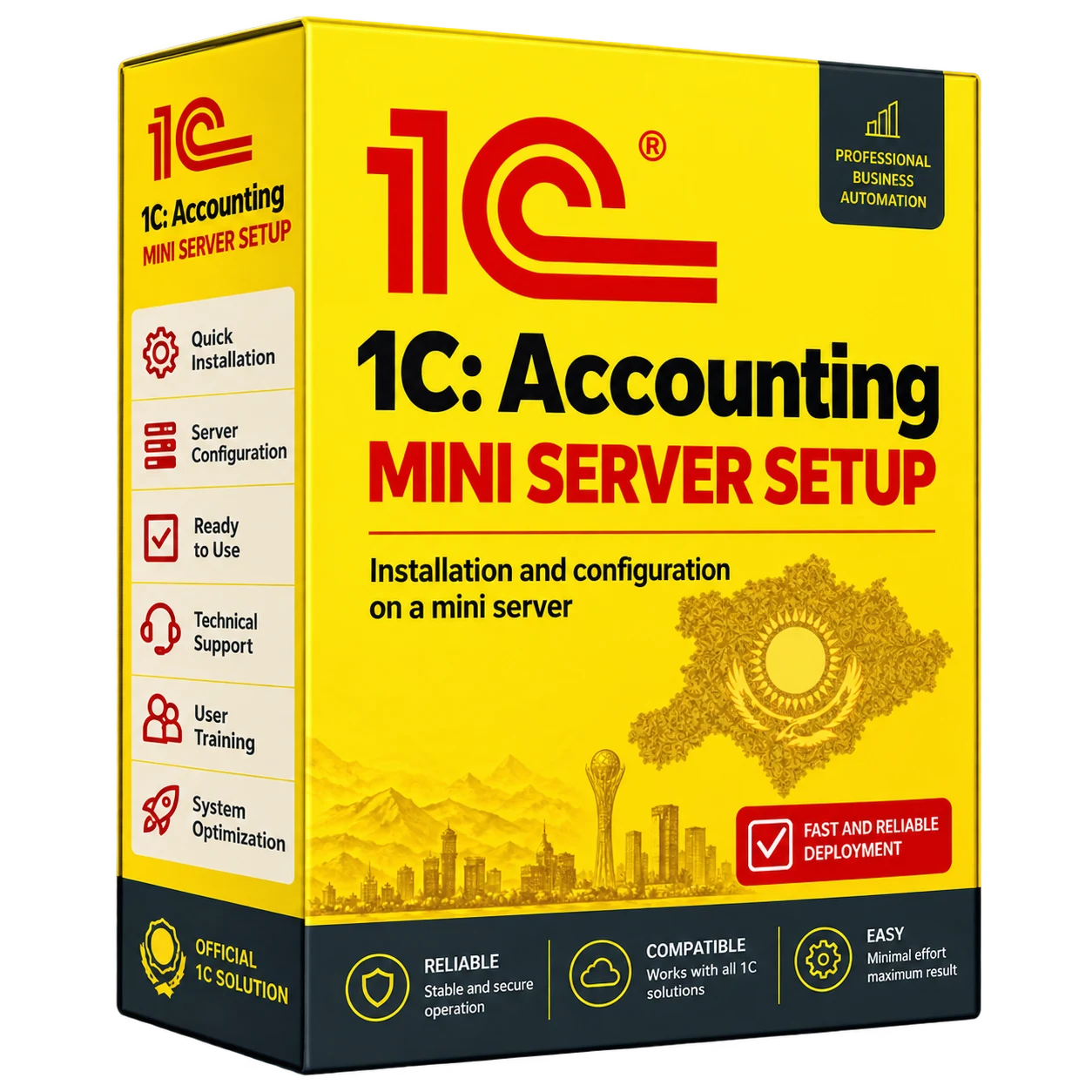
1C:Accounting deployment on a mini server
1C:Accounting deployment on a mini server
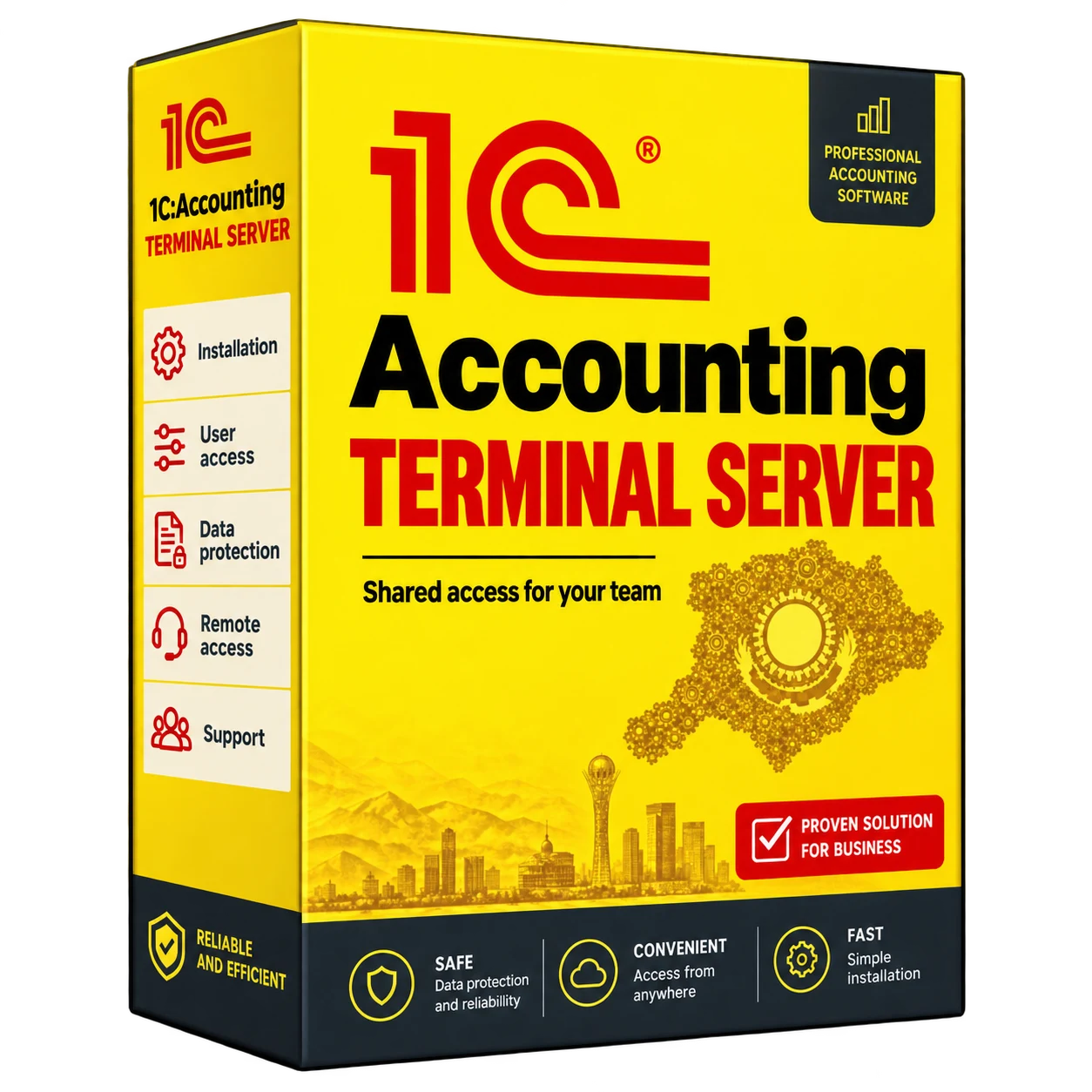
A complete 1C:Accounting solution on a mini PC for LLPs, sole proprietors, accounting teams, shops and small businesses. The package includes a mini-PC server, 1C:Accounting, a server licence, installation and access configuration for up to five users. Your database stays on your premises, while staff can work in 1C from the office, home or another city.
Description
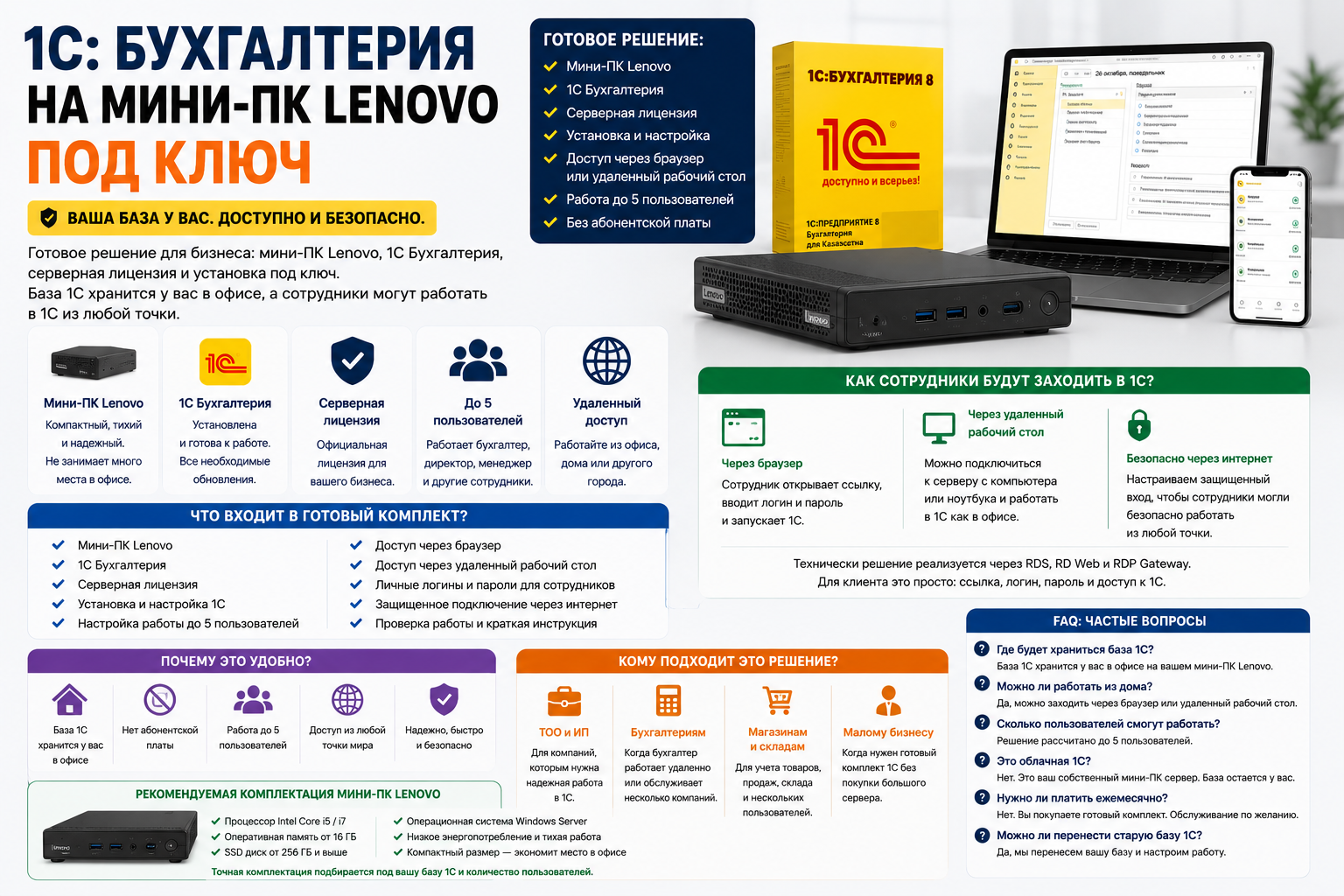
1C Accounting on a turnkey mini server for up to 5 users
See how the 1C solution works
A complete 1C:Accounting setup on a mini server for up to five users. The agreed package includes the mini-PC server, software licences, installation and access configuration. The database is hosted at your office.
Employees can connect from the office, home or a branch using the access method supported by the selected 1C configuration. We check browser or remote desktop compatibility with your computers and mobile devices before deployment.
This solution suits small businesses, LLPs and sole proprietors that want their 1C database hosted on their own premises, with access for staff at the office or remotely.
If the company has more than 5 users, look at a separate solution.
1C Accounting on a terminal server for branches. designed for more users and the connection of several offices.
How much does 1C cost on a turnkey miniserver?
The exact cost depends on the configuration of the mini-PC (SSD, memory capacity), the 1C Accounting license, the server license, the number of users up to 5 and the need to transfer the existing database. Also, the price is affected by whether you need a separately configured SSL Gateway and automatic backup on schedule.
Write us the number of users and whether there is already a 1C database – calculate the exact cost of the turnkey kit.
What’s included the finished kit?
- Mini PC server for 1C operation
- 1C Accounting
- Server license
- Installation and configuration of 1C
- Setting up work for up to 5 users
- 1C work remotely through a browser
- Access to 1C via remote desktop
- Personal logins and passwords for employees
- Secure access via the Internet
- Working with 1C with MacBook, iPad, Tablet and Phone
- Secure access via SSL Gateway
- Automatic backup of 1C database
- Ability to restore the database from backup
- Verification of work and brief instructions
How does it work in simple words?
We install a compact mini server in your office. It will run 1C Accounting. Your database stays with you, and employees get easy access to 1C.
For the client, it looks simple: the employee opens a link in the browser or connects through a remote desktop. Enter your login and password and work in 1C.
Work with 1C from any device
Your employees will be able to work in 1C not only from an office computer. Access can be configured with MacBook Pro, iPad Pro, Samsung tablet, laptop, home computer and mobile phone.
This is convenient for a director, accountant, manager and employees who work from home, branch, business trip or another city. 1C stays on your mini server, and the user simply connects to it through secure access.
MacBook Pro
You can work in 1C with macOS via a browser or remote connection.
iPad Pro
Convenient to view reports, check documents and connect to 1C remotely.
Samsung tablet
Suitable to work in 1C over the Internet from an office, home or branch office.
Telephone.
You can quickly connect, check the data or open the necessary information.
What tasks does this solution solve?
The accountant works remotely
An accountant can log in to 1C from a home, another office, or another city.
1C database stays with you.
The company’s data is stored on your server, which is located in your office.
Up to 5 users
1C can employ an accountant, director, manager, cashier or other employees.
Without renting a cloud
Once you bought a ready-made set – the server and database are at your disposal.
We configure the agreed remote-access method so accountants and other authorised staff can use the office-hosted 1C system from another location.
When does a business need a mini server for 1C?
A mini server for 1C is needed when a company wants to work in 1C stable, secure and without renting a cloud. This is a convenient solution if the accountant works remotely, the employees are in different places. The 1C database should be stored in your office.
- You need to connect your accountant to 1C remotely
- Employees want to work in 1C from home or branch
- 1C is running slowly over a local network.
- You don’t want to store 1C in someone else’s cloud
- You need 1C for small business, LLP or sole proprietor
- You need a solution for up to 5 users with a ready installation
Why is a mini server better than a regular computer?
When 1C is installed on a regular computer, there are risks: the computer can turn off, it can freeze. Access to other users is unstable, and a remote connection is often unsafe.
The mini server is a dedicated device for the 1C workload. We install it at your office and configure access for the agreed users.
What does the business get after installation?
For the director.
Control over 1C database, access to reports from anywhere, and no reliance on cloud storage.
For an accountant.
Comfortable work in 1C remotely: from home, office, branch or another city.
For the company.
Ready-made 1C Turnkey Accounting: server, license, installation, users and access to up to 5 people.
1C Remote Work: How Will Employees Get In?
Through the browser.
The employee opens a special link, enters a login and password, then launches 1C.
Through a remote desktop
You can connect to the server from a computer or laptop and work in 1C as in the office.
Safely over the Internet
Set up a secure entrance so that employees can work safely outside the office.
Technically, the solution is implemented through RDS, RD Web and RDP Gateway. For the client, it is simple: a link, login, password and access to 1C.
Secure access to 1C via SSL Gateway
Remote access to 1C is configured via Secure SSL Gateway. In simple words, employees do not go directly to the server, but connect through a secure login with encryption.
This reduces the risk of hacking, protects your internet connection, and allows you to safely work with 1C from your home, office, branch, or other city.
- Secure connection to 1C via the Internet
- Access by login and password for each employee
- Encrypting a connection via SSL
- No direct open access to the 1C database
- Access can only be restricted to the right users.
What’s better than a regular cloud 1C?
With a hosted cloud service, another company operates the infrastructure. With this solution, the database runs on your own mini server at the office.
- The server is in your office.
- 1C database is under your control
- There is no monthly fee to store a base in the cloud
- You can work from the office and remotely
- The solution is suitable for companies that care about privacy.
Who is it for?
LLP and sole proprietor
For companies that need ready-made 1C Accounting with employee access.
Accounting
When an accountant works remotely or serves a company out of the office.
Stores and warehouses
To record goods, sales, warehouse and work of multiple users.
Small business.
When you need a ready-made 1C kit without buying a large server.
Why is it convenient for business?
- Everything is already included: server, 1C Accounting, license and installation
- No need to understand complex technical settings
- You can get started quickly in 1C.
- Employees can work from different locations
- Your 1C database is stored in your cloud, not someone else’s.
- A compact mini-server does not take up much space.
- The solution is suitable for up to 5 users
Automatic backup of 1C database
Scheduled backups can save copies of the 1C database automatically. We agree on storage, retention and recovery checks as part of the setup.
If an employee accidentally deletes the data, the database is damaged or there is a failure, it will be possible to restore 1C from the backup.
- Automatic backup of the 1C database
- Protection against accidental deletion of data
- Possibility of recovery after failure
- Backup can be configured on schedule
- The 1C database remains under your control.
How’s the installation going?
- We clarify your task and the number of users.
- Prepare a mini-PC server and 1C Accounting.
- Install a server in your office.
- Configure users and access to 1C.
- Configure secure access via SSL Gateway.
- Configure the automatic backup of the 1C database.
- Check the login through the browser and remote desktop.
- Show employees how to get in and work.
Recommended configuration
- Mini PC server for 1C
- Quick SSD Disk for 1C database
- RAM by the number of users
- 1C Accounting
- Server license
- Setting up access to 5 users
- SSL Gateway for Secure Access
- Automatic backup of 1C database
- Connecting to the Internet for remote work
The exact configuration depends on the size of the 1C database, the number of users and the tasks of the company.
FAQ: 1C Accounting on a miniserver
What’s includedcluded?
The package includes a mini-PC server, 1C Accounting, server license, installation, access configuration for up to 5 users, SSL Gateway and 1C automatic backup.
How much does 1C cost on a preconfigured mini server?
The cost depends on the configuration of the mini PC, the 1C license, the number of users and whether you need to move the existing database. We make an accurate calculation after a short consultation.
Where will the 1C database be stored?
The 1C database will be stored in your office on your mini server.
Can I work from home?
Yes. Employees will be able to log in to 1C via a browser or remote desktop.
How many users will be able to work?
The solution is designed for up to 5 users. If you need more, there is a separate solution on the terminal server for branches.
Is that cloud 1C?
No. This is your own mini server that is installed in your office. You retain control of the database.
Do I have to pay a monthly subscription fee?
No. You buy a ready-made set on a turnkey basis. Additional service can be ordered separately if necessary.
Can I move the old 1C database?
Yes, you can migrate the current 1C database and customize the user experience.
Is it possible to connect through the browser?
Yes. You can configure the login through the browser so that the employee opens the link, enters the login and password and launches 1C.
How does 1C work remotely?
Work in 1C is remotely possible through a browser or remote desktop. An employee enters a username and password and connects to your 1C database from your home, office, or other city.
Is it possible to use 1C without the cloud?
Yes. 1C can be installed on your own mini-server in the office. In this case, the database is stored by you, and employees connect remotely via a browser or remote desktop.
Is a 1C miniserver suitable for small businesses?
Yes. A mini server for 1C is suitable for small businesses, LLP, sole proprietor, accounting, stores and warehouses, where up to 5 users need to work.
Can I connect an accountant to 1C remotely?
Yes. We configure remote access to 1C so that the accountant can work from home, another office or another city.
Which is better, cloud 1C or server?
If it’s important to keep your 1C database in your office, it’s best to choose your own mini server. If only renting without your own equipment is important, then cloud 1C will do.
Is the solution suitable for LLP and sole proprietor?
Yes. 1C for LLP and sole proprietor can be installed on a mini server, configure users and give access to an accountant, director or employees.
Is it possible to work in 1C with a MacBook?
Yes. You can configure access to 1C from a MacBook Pro via a browser or remote connection. The 1C database stays on your mini server, and the employee connects to it through secure access.
Is it possible to work in 1C with the iPad Pro?
Yes. An employee can connect to 1C with an iPad Pro via the internet. This is convenient for a director, accountant or executive when you need to look at company reports, documents or data.
Can I work in 1C with a Samsung tablet?
Yes. Access to 1C can be configured from the Samsung tablet and other Android devices. The user opens the connection, enters the login and password and works with the 1C database remotely.
Can I open 1C from a mobile phone?
Yes. If necessary, you can open 1C from your mobile phone. This is convenient for quick verification of data, reports, balances, documents or monitoring the work of employees.
How to protect remote access to 1C?
Remote access to 1C can be configured via a secure SSL Gateway. In simple words: employees do not connect directly to the 1C database, but enter through a secure entrance with encryption, login and password.
What is SSL Gateway for 1C in simple words?
SSL Gateway is a secure gateway for remote connection. It helps to securely access 1C over the Internet and reduce the risk of unauthorized access to the server and database.
Will there be an automatic 1C backup?
Yes. You can configure the automatic backup of the 1C database on schedule. The database will be regularly stored in a backup so that in case of failure, error or accidental deletion, the data can be restored.
Is it possible to restore the 1C database from a backup?
Yes. If the 1C database is damaged, the employee accidentally deletes the data or there is a failure, you can restore the database from the backup.
Is the solution suitable for the remote work of an accountant?
Yes. The solution is suitable if the accountant works from home, another office, branch office or another city. Access to 1C is configured over the Internet, and the database stays on your mini server.
Can I use 1C from any device?
Yes. You can configure work in 1C with a Windows laptop, MacBook, iPad, Samsung tablet, home computer and mobile phone. The main thing is the availability of the Internet and configured secure access.
Do you want a ready-made 1C Accounting on your own mini server? We will prepare a turnkey set: mini-PC server, 1C Accounting, server license, secure access via SSL Gateway, automatic backup and access to up to 5 users.
KICCo — Innovation. Quality. Responsibility.